YC新项目开源文本生成CAD工具
推荐指数 64.0 NO. 014 · 2026.06.18
发布2026/06/17Score96Comments45
为什么值得看
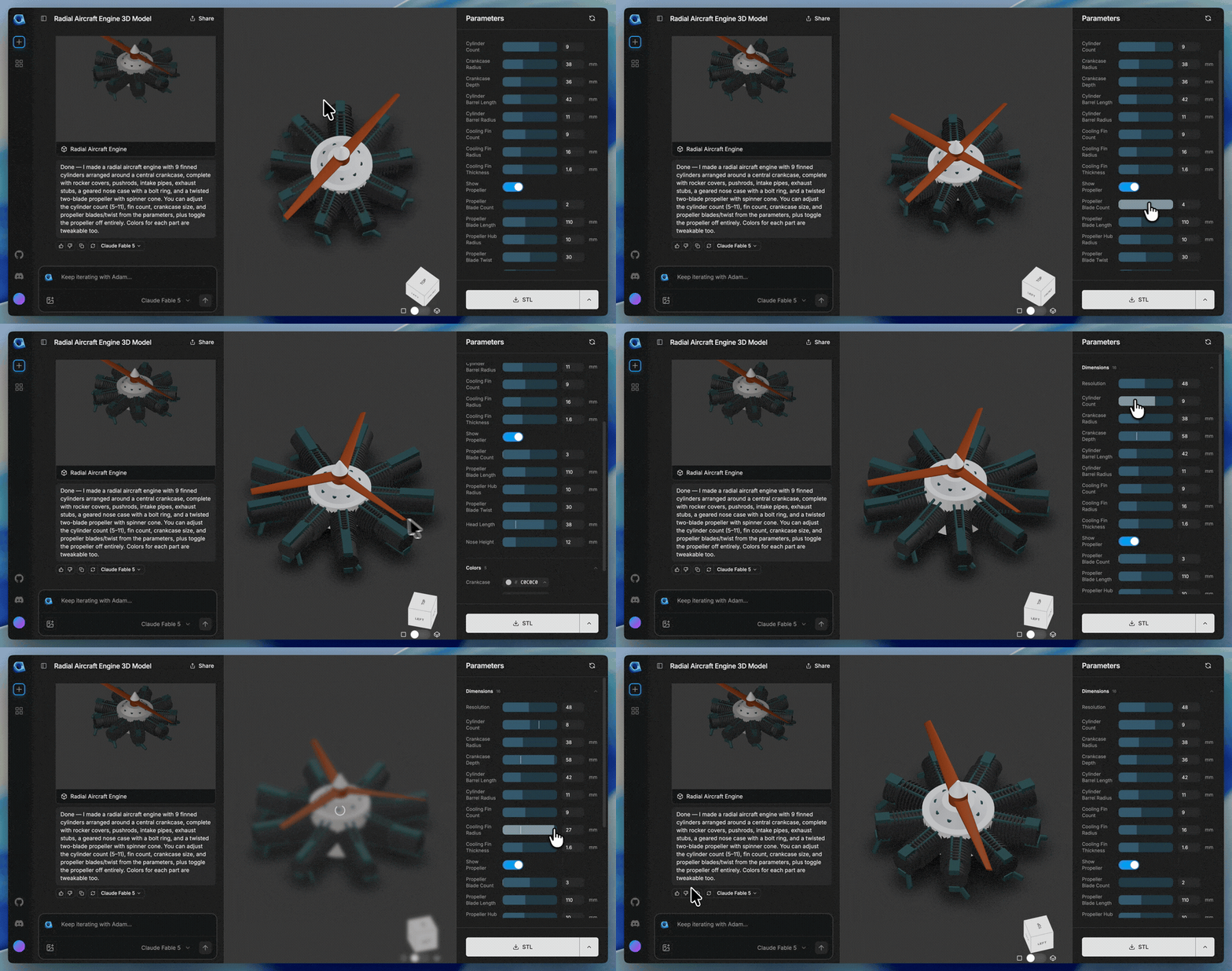
CADAM 是 YC W25 孵化的开源文本转 CAD 网页应用,用户用自然语言描述即可生成可编辑的 3D 模型。对硬件创业团队和机械工程师来说,这能把原型设计周期从数小时压缩到几分钟,且完全开源可自建。
媒体预览
编辑判断
CAD 领域长期被 SolidWorks、AutoCAD 等闭源软件垄断,AI 生成 3D 的浪潮之前主要集中在 mesh 或 NeRF 这类不可编辑格式,工程价值有限。CADAM 的关键差异在于输出的是参数化 CAD 文件,能直接进工厂打样或 CNC 加工。
目前同类工具中,Zoo.dev 的文本转 CAD 是闭源 API 收费模式,Shap-E 输出的是 mesh 需要重新建模。CADAM 的开源策略对预算紧张的硬件初创团队很友好,但需要注意它目前的几何复杂度上限——从 demo 看主要是简单零件级,装配体和多特征交互可能还需要手动调整。
如果你在做机器人、IoT 硬件或任何需要快速打样的场景,建议先跑几个自己常用的零件类型测试约束求解的稳定性,这比看 star 数更能判断能不能替代现有工作流。
社区反馈
意见分歧 43 条评论
核心争论:AI生成CAD是实用工具还是玩具,能否满足专业工程需求
Can you talk more about the UI for face/edge selection that you're working on? Is that only going to be in the OnShape/Fusion plugins?
It's currently in the plugins and we're working on bringing it to CADAM. Basically you'll be able to use the GUI, and give face/edge selection context to your prompt "extrude a hole through this face". It's directly tied to us adding brep support.
How can this approach be better than just selecting the edge and click the extrude button/write extrude command? Now you have to start writing a prompt and hope that what you want to do is understood by the LLM. I mean, CAD is really not so complicated with the tools we currently have. You just